Solusi Plugin ‘InnoDB’ registration as a STORAGE ENGINE failed (Solved)
Hari ini kami mendapati salah satu server mariadb 10.x error Plugin ‘InnoDB’ registration as a STORAGE ENGINE failed dan solusinya adalah sebagai berikut : Read more

Arsip artikel pembahasan seputar database mysql dan segala seluk beluknya.
Hari ini kami mendapati salah satu server mariadb 10.x error Plugin ‘InnoDB’ registration as a STORAGE ENGINE failed dan solusinya adalah sebagai berikut : Read more
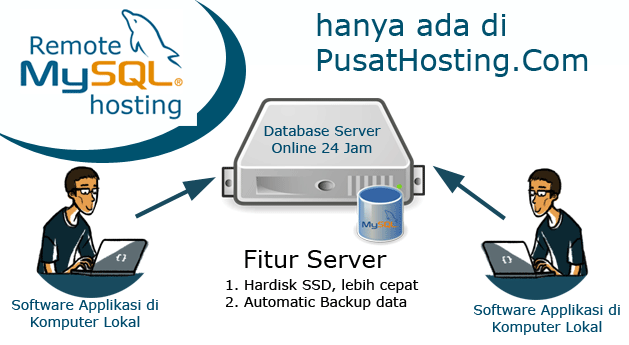
Hosting remote mysql adalah paket hosting untuk anda yang memiliki applikasi lokal dan ingin mengonlinekannya. Untuk servernya sendiri yaitu server terpisah dengan server hosting website sehingga bisa meminimalisir maintenance.
Paket remote mysql hosting dijamin murah dan berikut ini adalah harga paketnya.
Anda bisa mencoba selama 1 bulan dan apabila tidak sesuai dengan kebutuhan anda, maka anda bisa mengajukan pembatalan dan dana akan kami kembalikan full 100%.
Hari ini kami menemukan problem ketika melakukan restore database “ERROR 1118 (42000) at line 52: Row size too large (> 8126). Changing some columns to TEXT or BLOB may help. In current row format, BLOB prefix of 0 bytes is stored inline.”
Solusinya bisa ditemukan disini : https://stackoverflow.com/questions/22637733/mysql-error-code-1118-row-size-too-large-8126-changing-some-columns-to-te
Server kami menggunakan mariadb 10.2 dengan menambahkan di /etc/my.conf.d/server.conf setting seperti ini
[mysqld]innodb_log_file_size = 256M
innodb_strict_mode = 0
Jangan lupa di restart mariadb nya setelah melakukan perubahan.
Demikian, sekedar catatan admin.
Hari ini kami mendapatkan kasus error directadmin dengan remote database MariaDB cant Insert/update user password. Read more

Kami membuat tutorial ini karena kami mengahadapi problem ketika melakukan dump database dari server remote.
Posisinya kami menggunakan 2 server yaitu server khusus untuk data website sebut saja server A dan database mysql sebut saja server M. Read more

Jika anda mendapatkan error “too many Connections” maka artinya koneksi anda telah mencapai limit.
Jika anda menggunakan layanan mysql hosting atau shared hosting biasanya informasi tentang batasan / limit tersebut sudah kami jelaskan pada setiap halaman paket hosting.
Misalnya pada paket standart hosting paket WD-350MB tertulis database proses = 10.
Artinya limit konkurensi proses database maksimal 10 proses.
Proses tersebut umumnya berjalan sangat cepat dan bisa menampung banyak akses koneksi kecuali memang karena applikasinya sudah terlampau besar atau visitor sudah terlampau banyak.
Solusi
Biasanya solusi yang kami tawarkan adalah upgrade ke paket yang memiliki proses database lebih besar.
Jika anda menggunakan layanan vps untuk remote database atau sejenisnya dan mengalami too many connection maka anda bisa menaikkan limit max_connection.
Adapun caranya sebagai berikut :
# cat /usr/local/directadmin/conf/mysql.conf
show variables like "max_connections";+-----------------+-------+
| Variable_name | Value |
+-----------------+-------+
| max_connections | 151 |
+-----------------+-------+Anda akan melihat total max_connection seperti diatas.
Selain itu anda juga bisa melihat total koneksi yang digunakan dengan mengetikkan perintah
MariaDB [(none)]> show status like 'max_used_connections';
+----------------------+-------+
| Variable_name        | Value |
+----------------------+-------+
| Max_used_connections | 152   |
+----------------------+-------+
1 row in set (0.00 sec)
[mysqld]
max_connections = 1000;Demikian penjelasan yang bisa kami sampaikan tentang masalah too many connection pada database mysql dan semoga bermanfaat.